![Hagleitner_Logo.png]](https://knowledge.hagleitner.com/hs-fs/hubfs/Hagleitner/Hagleitner%20-%20Logo/Hagleitner_Logo.png?height=40&name=Hagleitner_Logo.png)
About device filters
Device filters can be used in HsM to check for specific devices. This is very useful for locations with a large number of HsM devices. You can filter for device types, building structure locations, device status, etc. You can also combine these filter options.
Device filters can be made with:
Create device filters in the Hagleitner360 app
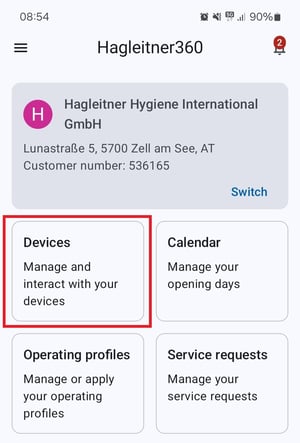
- Open the Hagleitner360 app and select a customer number.
- Tap on "Devices".
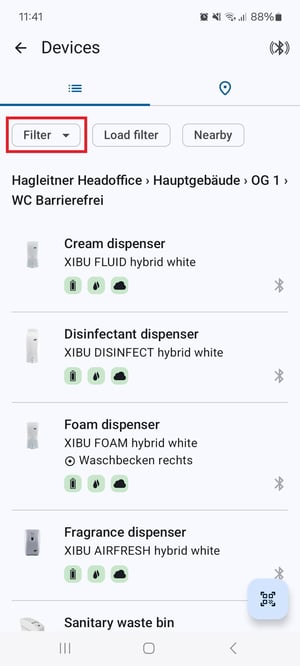
- Tap on "Filter".
- Choose one or more filter options.
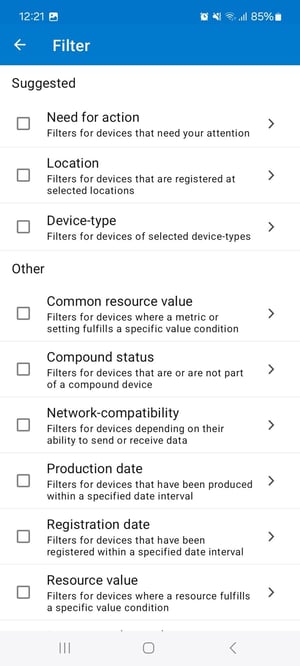
- When you have selected your filter terms, tap on "Apply filter".
- To deactivate the current filter, tap on "All".
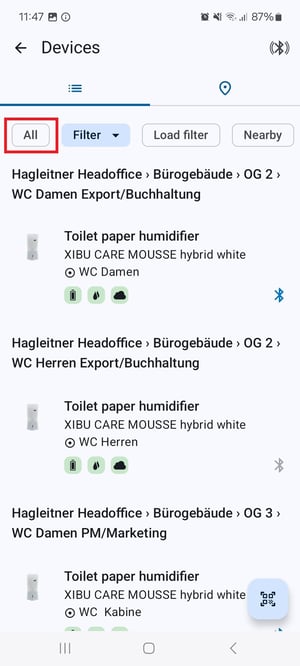
Notice: To edit the filter, tap on the "Filter" button while the filter is active.
Create device filters in the HsM web portal
- Open the HsM web portal.
- Search and select a customer number.
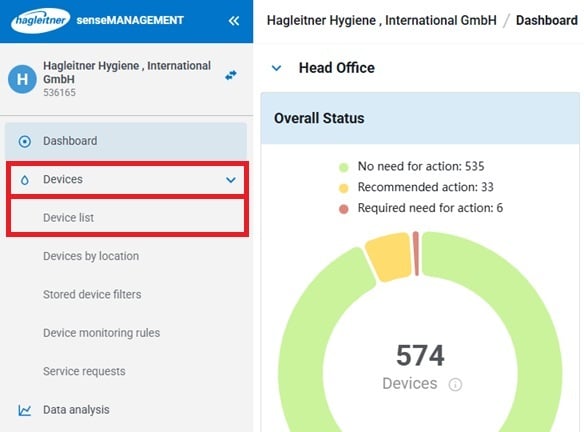
- Go to "Devices" > "Device list".
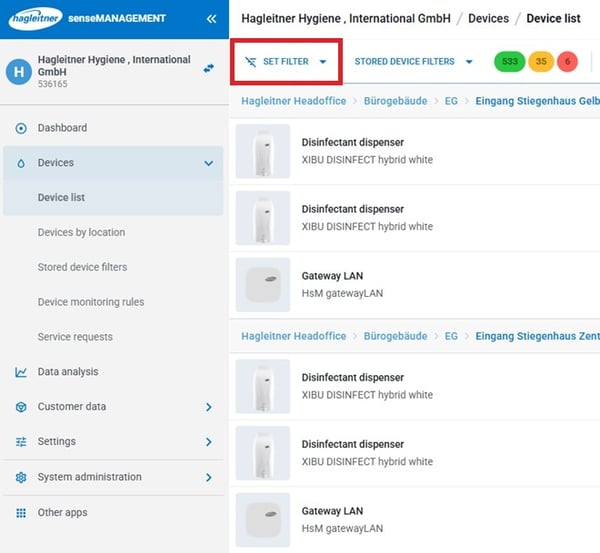
- Click on "Set filter".
- Choose one or more filter options.
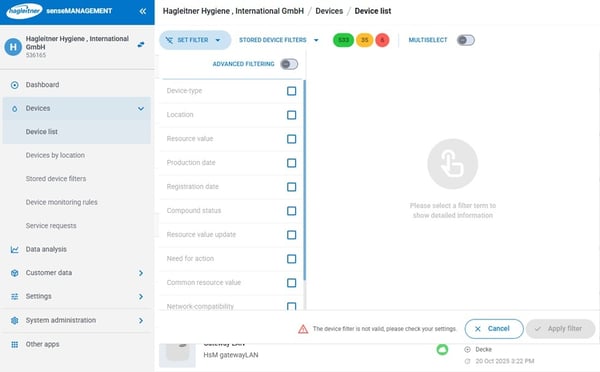
- When you are done choosing and setting your filter options, click on "Apply filter".
- To deactivate the filter, click on the x icon
 .
.
Notice: To edit the filter, click on "Edit filter".
You want to save and apply those saved filters? Click here.