![Hagleitner_Logo.png]](https://knowledge.hagleitner.com/hs-fs/hubfs/Hagleitner/Hagleitner%20-%20Logo/Hagleitner_Logo.png?height=40&name=Hagleitner_Logo.png)
Before you change settings
Make sure the following things are given:
- You are in Bluetooth reach of your device (max 10m distance from it).
- The device is powered on.
- Bluetooth is active on your phone and the Hagleitner360 app is allowed to use it.
- Location is active on your phone and the Hagleitner360 app is allowed to use it.
Changing the settings of a device
- Open the Hagleitner360 app and select your customer number.
- Go to "Devices".
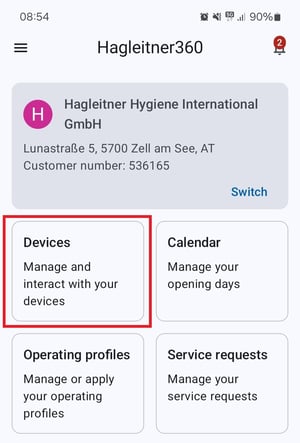
- Select your device via the device list.
- Or scan the QR code of the device via the Hagleitner360 app.
- Tap on "Settings" > "More".

Tip: If you have no or a bad internet connection, you can also download the device list data with a stable connection before and then go offline.