![Hagleitner_Logo.png]](https://knowledge.hagleitner.com/hs-fs/hubfs/Hagleitner/Hagleitner%20-%20Logo/Hagleitner_Logo.png?height=40&name=Hagleitner_Logo.png)
- Open the Hagleitner360 app and select a customer number.
- Tap on "Devices" on the customer dashboard.
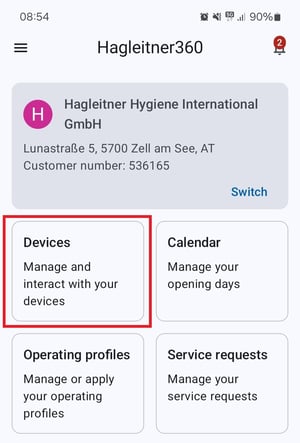
- At the device list, select your 4PLUS device system.
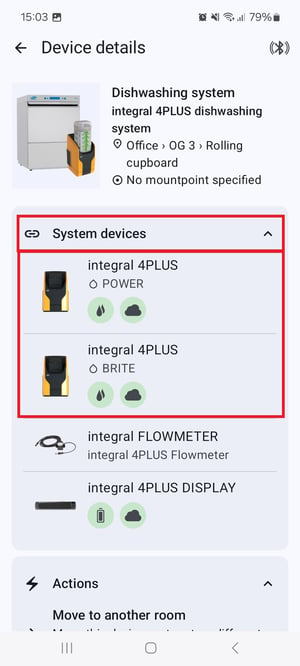
- Tap on "System devices" and select a 4PLUS device.
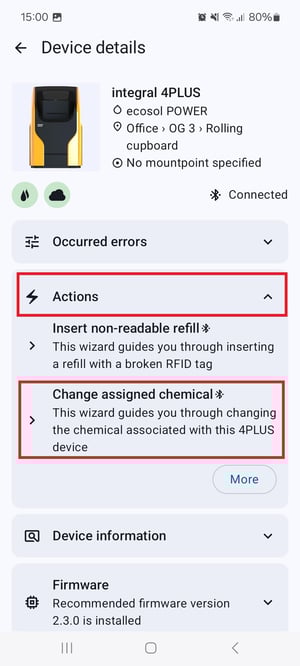
- Scroll down to "Actions" and select "Change assigned chemical"
- Always read the app's instructions carefully and select "Start".
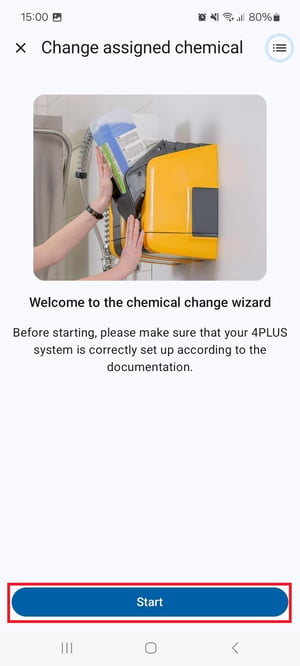
Tip: When you select the three dots during a configuration, you can check your progress.