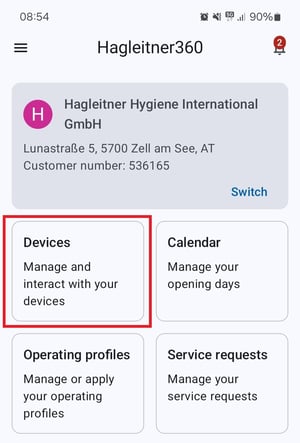
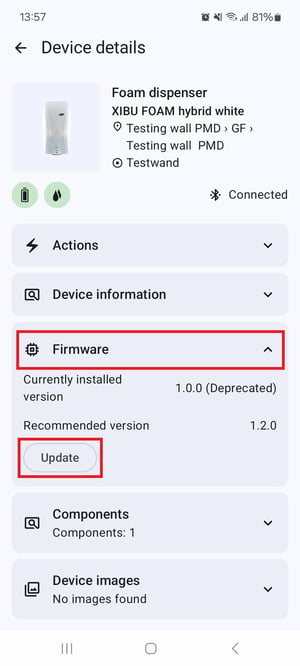
Firmware update You want to perform a firmware update on a HsM device via the Hagleitner360 app. Open the Hagleitner360 app. Search and select a customer number. Tap on Devices. Select your device in the device list or scan its QR code via the QR code button. Scroll down to Firmware. Tap on Update when there is a firmware update available.
![Hagleitner_Logo.png]](https://knowledge.hagleitner.com/hs-fs/hubfs/Hagleitner/Hagleitner%20-%20Logo/Hagleitner_Logo.png?height=40&name=Hagleitner_Logo.png)