![Hagleitner_Logo.png]](https://knowledge.hagleitner.com/hs-fs/hubfs/Hagleitner/Hagleitner%20-%20Logo/Hagleitner_Logo.png?height=40&name=Hagleitner_Logo.png)
Methods to be notified
There are 3 ways to be notified for device monitoring rules in HsM. You can be notified via email, HsM inbox or you can receive a push notification on your phone.
Enabling or disabling these ways of notifications can be done with:
Setting the notification preferences with the Hagleitner360 app
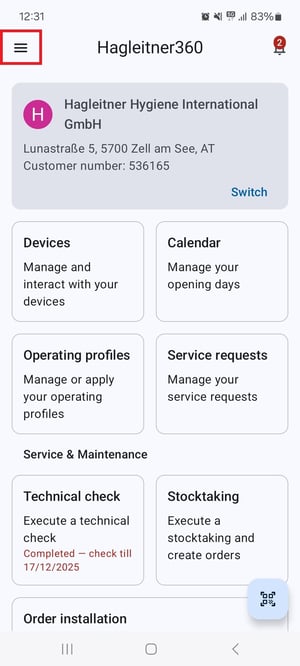
- Open the Hagleitner360 app.
- Tap on the burger menu.
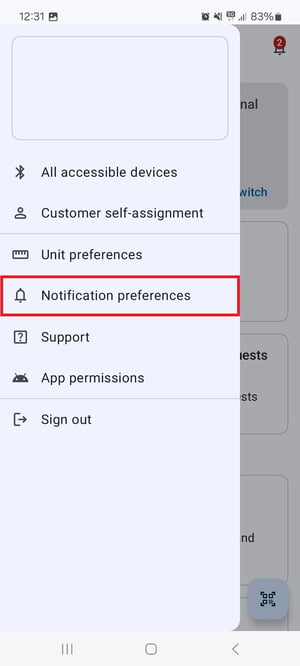
- Tap on "Notification preferences".
- Now you can enable or disable one or more methods of notification.
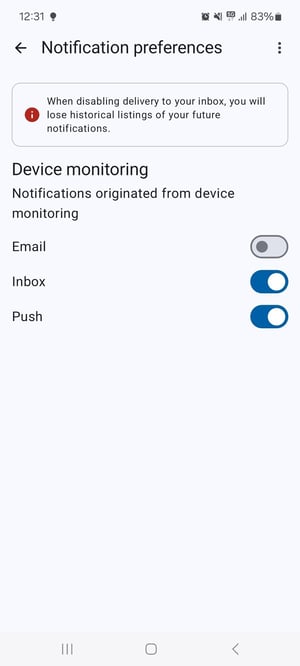
Tip: Tapping on the three dots menu on the right allows you to enable or disable all options.
Setting the notification preferences with the HsM web portal
- Open the HsM web portal.
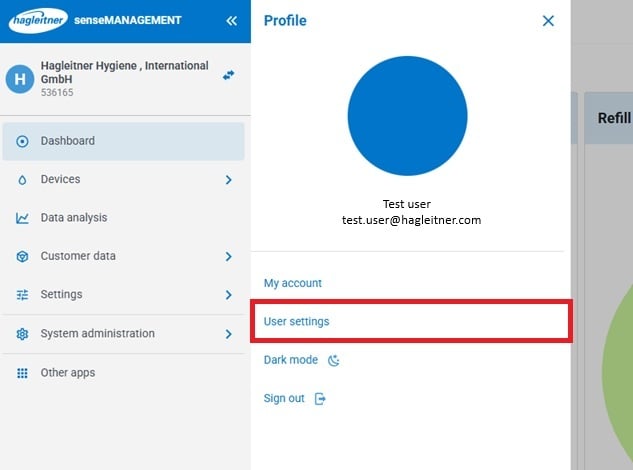
- Click on your user at the bottom left side.
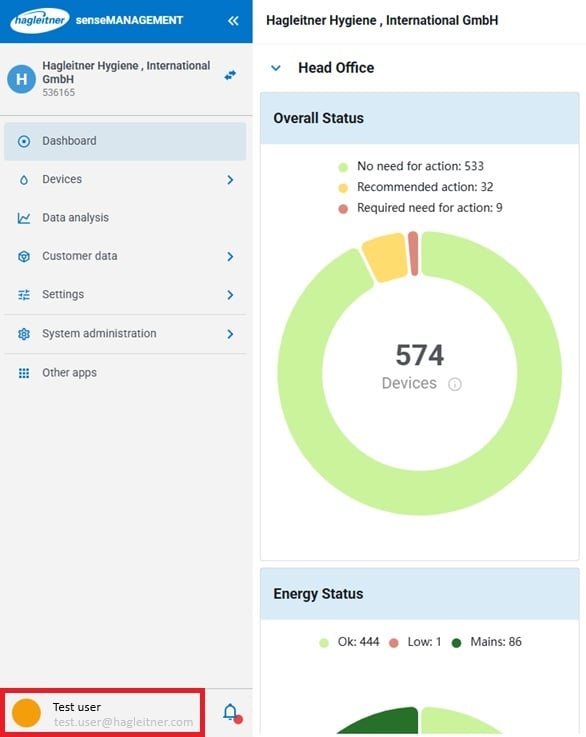
- Click on "User settings".
- Click on "Notification preferences".
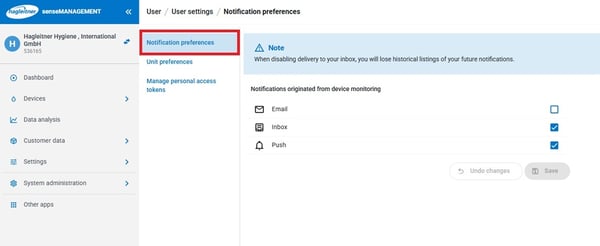
- Now you can enable or disable one or more methods of notification.
- Click on "Save".