![Hagleitner_Logo.png]](https://knowledge.hagleitner.com/hs-fs/hubfs/Hagleitner/Hagleitner%20-%20Logo/Hagleitner_Logo.png?height=40&name=Hagleitner_Logo.png)
Why is registering a HsM device necessary?
To identify a HsM device and change its settings (if possible) you need to register it at a building structure in a customer number.
Registering HsM devices with the Hagleitner360 app
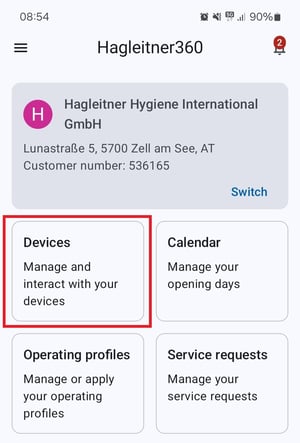
- Open the app and select a customer number.
- Go to "Devices".
- Tap on the QR code button.
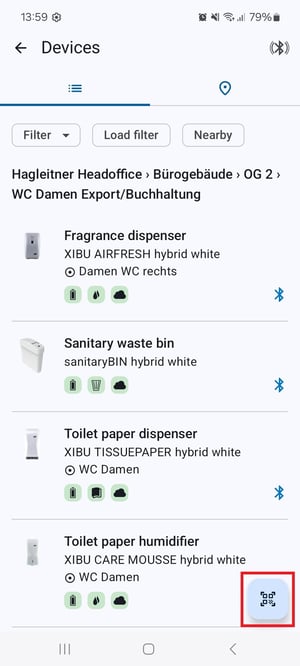
- Scan the QR code of your HsM device.
- Tap on "Register".
- Select the room where the device should be mounted.
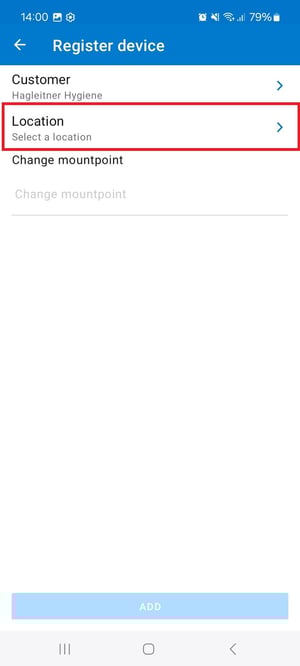
- Enter a mount point (optional).
- Tap on "Add".
No building structure at the customer number? Click here.