![Hagleitner_Logo.png]](https://knowledge.hagleitner.com/hs-fs/hubfs/Hagleitner/Hagleitner%20-%20Logo/Hagleitner_Logo.png?height=40&name=Hagleitner_Logo.png)
Notifications about HsM devices
To get notifications about the status of your HsM devices you will need to make a device monitoring rule and the devices need to be connected to a HsM gateway for live data. With the HsM web portal you can create a device monitoring rule. Notifications are possible via the following mediums:
- HsM inbox
- Push notifications onto your smartphone
Notice: You want to change the way you are being notified? Click here.
Creating a device monitoring rule
- Open the HsM web portal.
- Search and select a customer number.
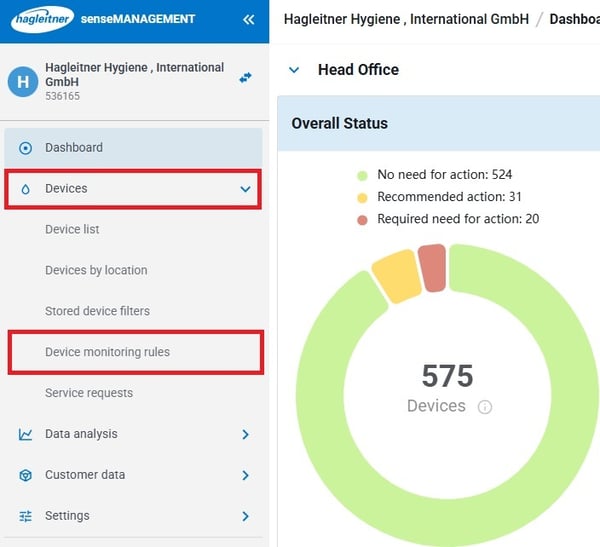
- Go to "Devices" > "Device monitoring rules".
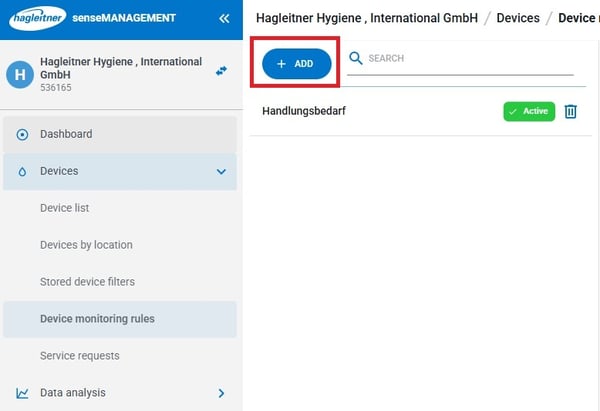
- Click on "Add".
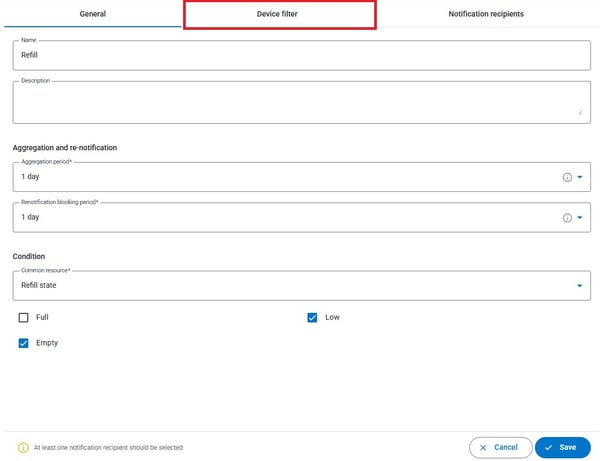
- Enter in a name for the rule.
- Enter a description for the rule (optional).
- Set the aggregation period1.
- Set the renotification blocking period2.
- Set a common resource3.
- Go to "Device filter".
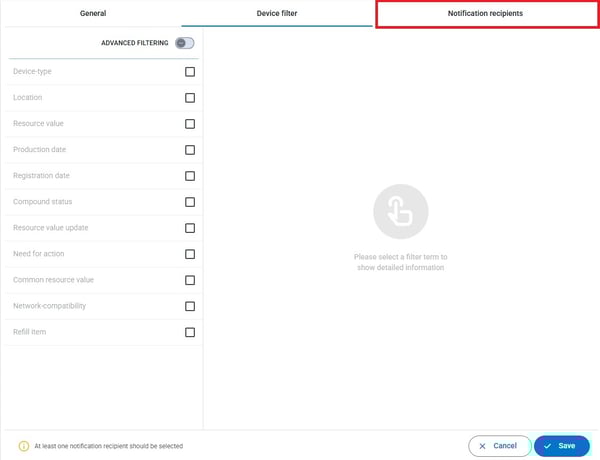
- Make a device filter. If no filter is set, then the rule will check all devices with the selected common resource.
- Go to "Notification recipients".
- Select a recipient via the search field. You can only choose users that have access to this customer.
- You can add your own user via the "Add me" button.
- Click on "Save" to save the rule.
1. Sets the period on how long the rule gathers events before sending a notification. If "None" is selected, then a notification will be sent immediately with every time an event happens.
2. Sets the period on how much time needs to pass for a re-notification of an existing notification. The blocking period needs to be bigger or the same as the aggregation period.
3. Careful: The refill status is for HsM devices that need to be refilled (i.e. FOAM hybrid). While the fill status is for HsM devices that need to be emptied (i.e. sanitaryBIN hybrid).
Other settings
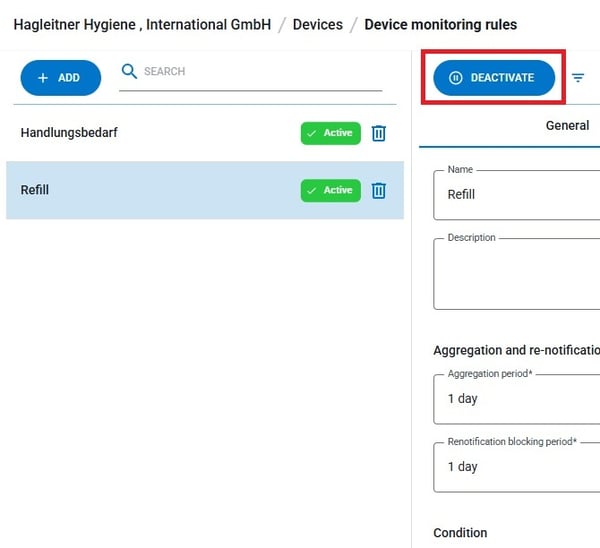
- Via the button "Deactivate"/"Activate" you can set your selected monitoring rule inactive/active.
- Via the rubbish bin icon
 you can delete a monitoring rule.