![Hagleitner_Logo.png]](https://knowledge.hagleitner.com/hs-fs/hubfs/Hagleitner/Hagleitner%20-%20Logo/Hagleitner_Logo.png?height=40&name=Hagleitner_Logo.png)
Migration of the 4PLUS device systems from the 4PLUS app to HsM
The migration of the 4PLUS device systems from the 4PLUS app to the HsM happend automatically. The device system should be found at the same customer number in HsM, where it was in the 4PLUS app. To make a 4PLUS device system work with the HsM, a firmware update needs to be performed via the Hagleitner360 app at the device system.
Finding an existing 4PLUS device system
-
Open the Hagleitner360 app.
- If you land on the dashboard, tap on "Switch".
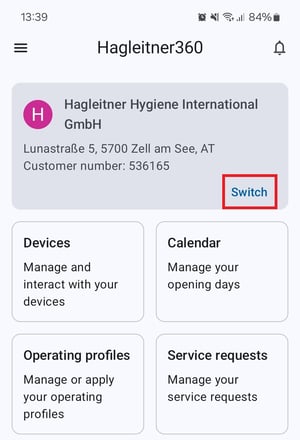
- If you land on the dashboard, tap on "Switch".
- At the customer selection tap on "Search".
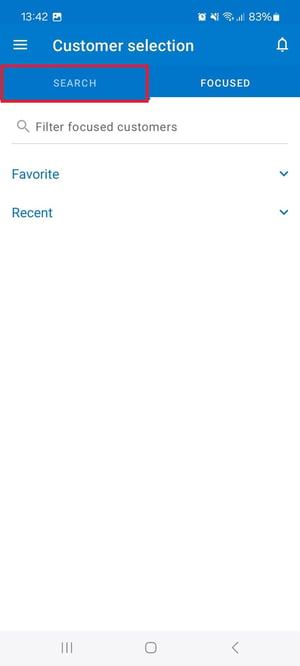
- Enter the customer number, where the 4PLUS device systems were in the 4PLUS app and select it.
- Tap on "Devices" at the Dashboard.
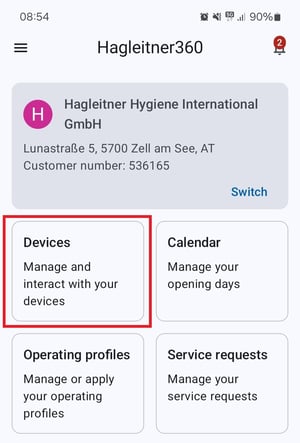
- Find your 4PLUS device system via the device list.
Tip: If you cannot find the 4PLUS device system, try to scan the QR code of a 4PLUS dosing device via the QR code button on the bottom right. Then you land on the detail page where the customer number/name is displayed if the device is at a different customer number.
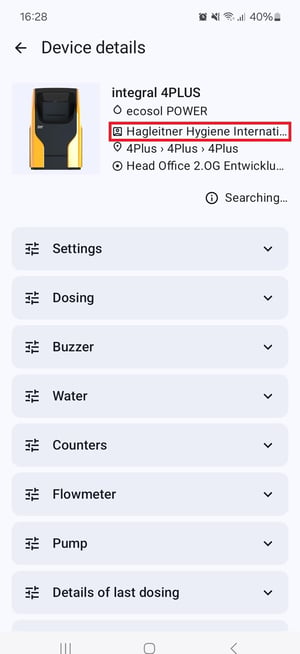
Tip: 4PLUS device system that migrated from the 4PLUS app to HsM are located at the building structure 4Plus > 4Plus > 4Plus by default.
Firmware update at a 4PLUS device system
- Select (like mentioned above) your 4PLUS device system.
- At the blue box "New firmware available" tap on "Update".
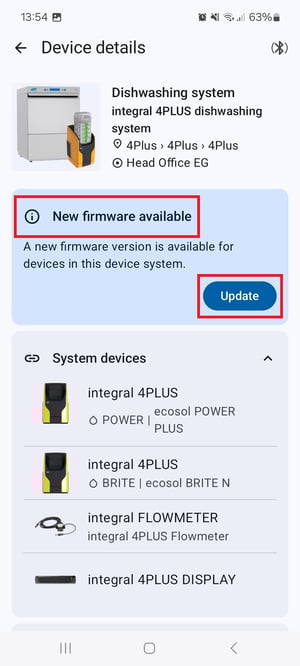
- Read through the app's instructions carefully and select "Next".
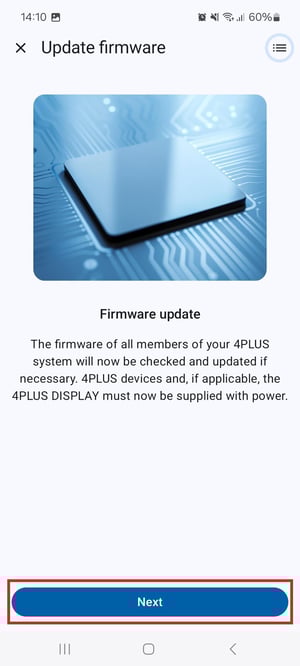
Please note: If there is a 4PLUS display that migrated with the device system, then remove the display, update the 4PLUS dosing devices, add the display again and perform the update at the display.
Notice: If you want to know how to move your device system to a different room, then click here.